
Apple Health to Instinct: health stats ready when you ask
Daily or weekly metric digests land as CSV/JSON so Instinct can answer health questions without opening the Health app.
Outcome
Once Apple Health summaries land in Instinct, you can ask things like "How's my resting heart rate this week?" or "Did my sleep drop after late workouts?" without opening the Health app. Instinct gets a transparent, attachment-based pulse: not raw continuous streams: so answers stay grounded in what you actually exported.
What gets sent
- Selected health metrics (steps, heart rate, HRV, sleep, blood pressure, etc.)
- Optional workouts (and optionally routes / per-workout metrics)
- Optional extras you enable: symptoms, ECG, State of Mind, cycle tracking, medications
- Format: CSV or JSON attachment plus a short summary email body
Tips & gotchas
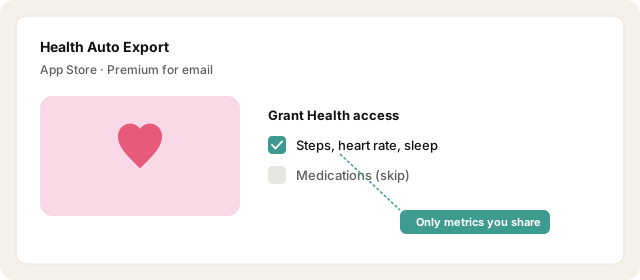
- Privacy: Only export metrics you'd be fine pasting into a chat with your assistant. Skip medications, cycle, or ECG unless you truly want them in Instinct.
- Reliability: iOS will not run Health exports on a locked phone. Treat "daily" as "daily when the device is unlocked," not a guaranteed cron.
- Size: Large metric sets, GPS routes, or second-level grouping will bounce. Prefer yesterday's summaries over week-long raw dumps.
How to send
Goal: one email lands in your bot today.
Show me how to connect Apple Health to Instinct Hide setup instructions
Apple Health has no built-in "email my data" button. Use the third-party app Health Auto Export (Premium required for email automations).
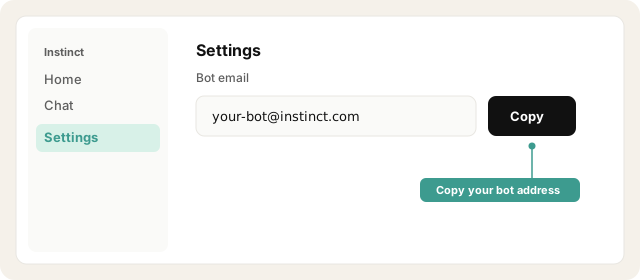
Copy your bot address from Instinct → Settings.
Open Instinct Settings Opens in a new tab
Paste the address from Instinct → Settings.
Install Health Auto Export and grant Apple Health access for only the metrics you want Instinct to see.
Open Health Auto Export Opens in a new tab
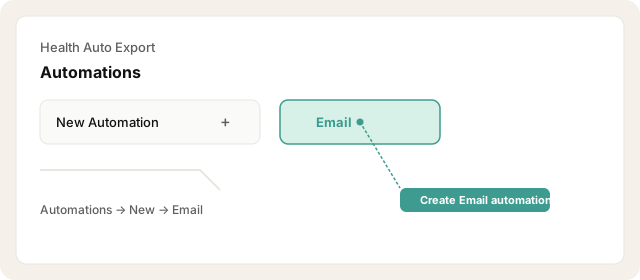
Open Health Auto Export → Automations → New Automation → Email.
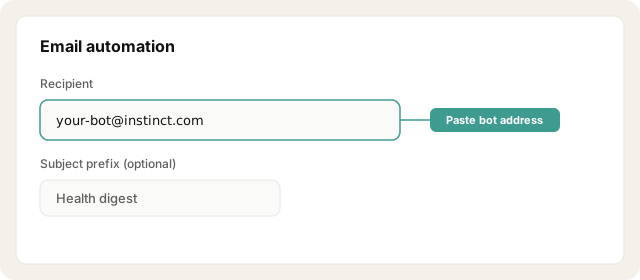
Set the recipient to your bot address. Optionally add a Subject Prefix like Health digest.
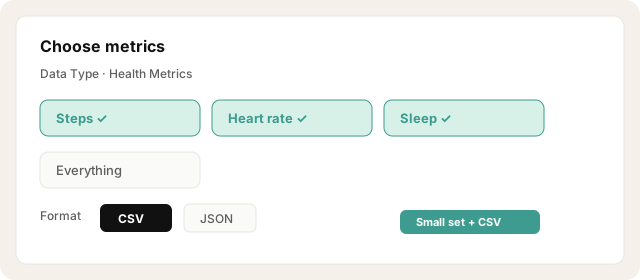
Choose Data Type (start with Health Metrics). Select a small set: not "everything." Prefer CSV, or JSON for richer sleep/workout detail.
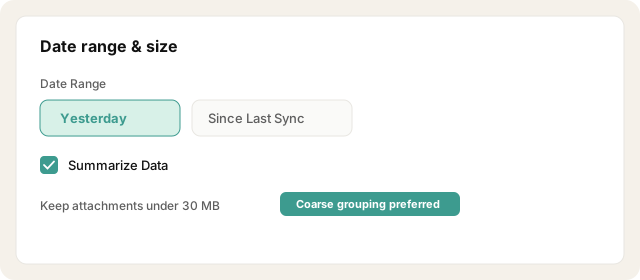
Set Date Range to Yesterday or Since Last Sync, turn Summarize Data on when available, and use coarser Time Grouping so attachments stay under the 30 MB email limit.
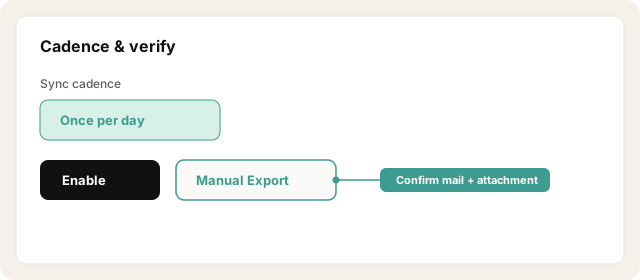
Set sync cadence to once per day. Enable the automation, then tap Manual Export once and confirm Instinct received the message + attachment.
Other ways · Reliability tips on iOS
Add the Automations widget and keep Background App Refresh on.
Optionally schedule a Shortcuts "Run Automation" when your phone is usually unlocked: Apple blocks Health reads while locked.
Try asking Instinct…
After a mail or two lands, try:
How's my resting heart rate this week compared to last week?
Did my sleep get shorter after late workouts?
Summarize my steps and active energy for the last seven days.
Anything in my health exports I should pay attention to?
New to emailing Instinct? Start with a low-risk recipe: Trip-ready travel or Newsletters.

