
LinkedIn to Instinct: network signals ready when you ask
Forward LinkedIn Page insights and high-signal notification emails so Instinct can cite followers, jobs, and network moments.
Outcome
Instinct can answer "Any new Page followers?", "What job alerts came in?", or "Summarize LinkedIn mail from this week?" without opening LinkedIn. You pick which notification types matter. LinkedIn stays the source of truth.
What gets sent
- Page insights emails (followers, views) when enabled
- Job alert digests (daily or weekly) if you use them
- Other LinkedIn notification emails you choose to forward (mentions, post performance)
- Not required: full InMail threads or recruiter spam blasts
Tips & gotchas
- Weak path (honest): LinkedIn cannot email an Instinct bot directly. Forwarding from your inbox is required.
- Turn off marketing and invitation spam categories or your bot will drown.
- Page insights need Page admin access.
- Job alerts max out (LinkedIn documents a cap around 20 alerts). Keep only roles you care about.
How to send
Goal: one email lands in your bot today.
Show me how to connect LinkedIn to Instinct Hide setup instructions
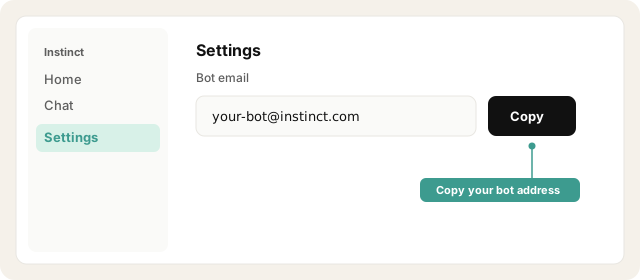
Copy your bot address from Instinct → Settings.
Open Instinct Settings Opens in a new tab
Paste the address from Instinct → Settings.
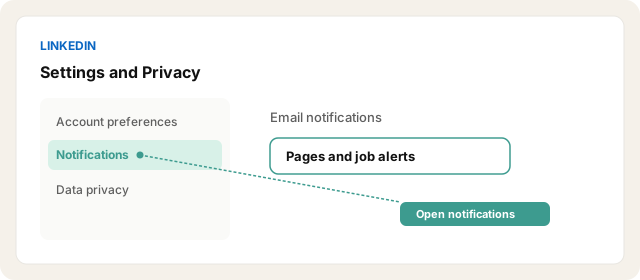
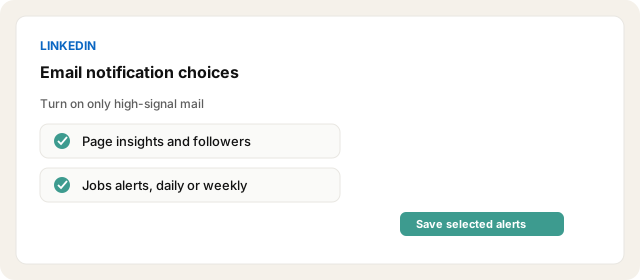
In LinkedIn: Me → Settings & Privacy → Notifications. Turn Email on only for categories you want Instinct to see (example: Pages → Insights on your pages, Jobs alerts).
Open LinkedIn notification settings Opens in a new tab
For job alerts: Jobs → create/manage alerts → email on, daily or weekly.
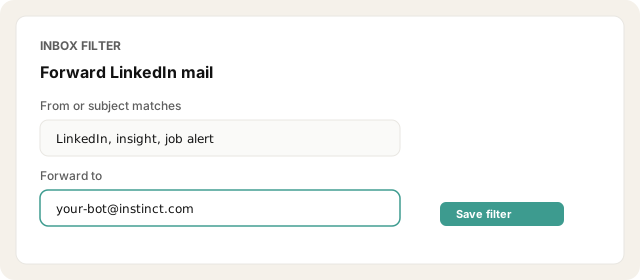
In your inbox, create a filter: From LinkedIn (and/or subject contains insight, job alert, follower) → forward to your Instinct bot address.
Forward one recent email manually as a test and ask Instinct to summarize it.
Other ways · Manual forward when something important happens
Forward individual high-signal LinkedIn emails when something important happens. Use when you do not want a standing inbox filter yet.
Other ways · Parseur or Zapier email parse (extra setup)
Use Parseur, Zapier email parse, or similar if you want structured extraction before the bot. Extra setup. Not required for MVP clarity.
Try asking Instinct…
After a mail or two lands, try:
Any LinkedIn Page insights I should know about this week?
Summarize the job alerts you got since Monday.
Did follower or view emails come in yesterday?
What LinkedIn notification stood out recently?


