
Intercom to Instinct: support signals ready when you ask
Forward Intercom teammate emails and daily signup digests so Instinct tracks conversations and new users.
Outcome
Instinct can answer "Any new Intercom conversations assigned to me?", "Who signed up today?", or "Summarize support mail from this morning?" while Intercom remains the inbox of record.
What gets sent
- Conversation notification emails (often grouped after a short quiet period)
- Daily signup list email (users and/or companies), if enabled
- Optional: webhook-composed emails with conversation id and tags (Path B)
- Not required: full conversation HTML dumps on every keystroke
Tips & gotchas
- Weak path (honest): Direct bot recipient is not a personal notification setting. Forward or webhook→email.
- Email notifications may wait a few minutes and batch replies. Do not expect instant per-message mail.
- Daily signup emails may omit raw email addresses in the body. Names still link into Intercom.
- Turn off email when you are active in the Intercom UI if you do not want duplicate noise.
How to send
Goal: one email lands in your bot today.
Show me how to connect Intercom to Instinct Hide setup instructions
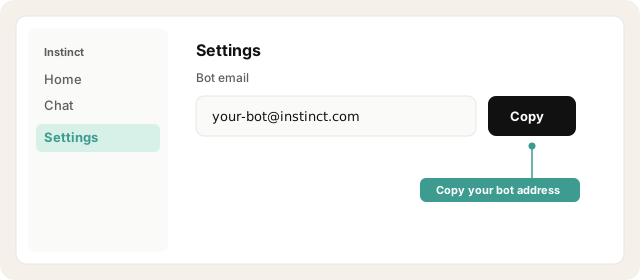
Copy your bot address from Instinct → Settings.
Open Instinct Settings Opens in a new tab
Paste the address from Instinct → Settings.
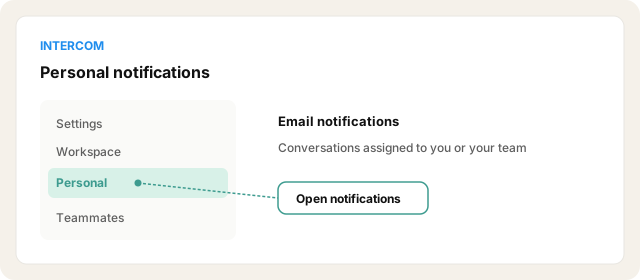
In Intercom: Settings → Personal → Notifications. Enable email for conversations assigned to you / your team as needed.
Open Intercom Opens in a new tab
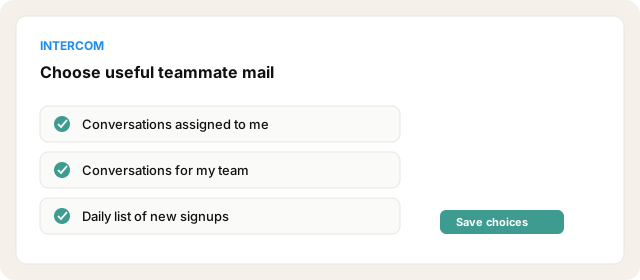
Optionally enable Get a daily list of new signups (users and/or companies).
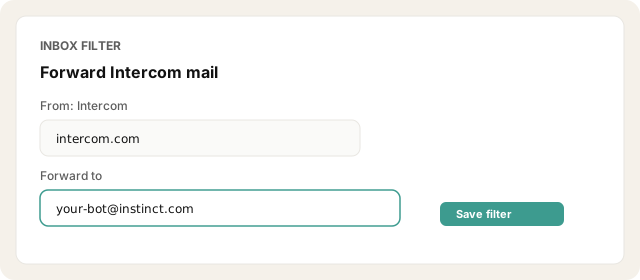
Inbox-filter From: Intercom → forward to your Instinct bot address (tighten by subject if noisy).
Trigger a test conversation or wait for the daily signup mail; confirm Instinct received it.
Other ways · Webhooks → email (~10 min)
Developer Hub app + webhooks (conversation created, user created) → Zapier/Make → email the bot with a short template. Use for cleaner event-shaped mail.
Other ways · Avoid Slack path (native connector)
Slack notifications are first-class in Intercom workflows, but Slack is a native Instinct connector. Do not use Slack-to-Instinct as the recipe path. Email is the point of this directory.
Try asking Instinct…
After a mail or two lands, try:
Any Intercom conversations I should see from today?
Who showed up on the daily signup email?
Summarize support emails since this morning.
Did anything get assigned to my team overnight?


